
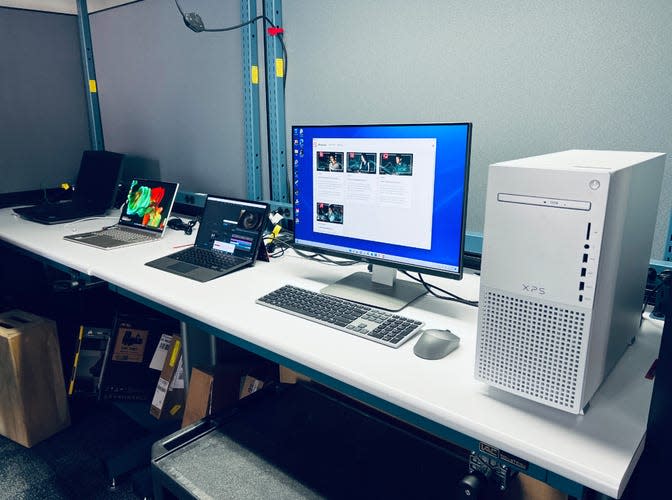
 At least once a year I like to give my opinion on what type of a computer someone should be looking for if they’re in the market to purchase a new machine. Many times, there are so many computers on the marketplace that it’s hard to make a decision based upon the functionality you’ll need to use. Basically I break these into two categories, a minimum performance machine and a high-performance machine. If you are a high-performance user, you already know that. If you’re not sure, a minimum performance device is probably where you need to be working.
Often times in the big box stores you find machines that have some of the specifications but not all of them. Big box machines are typically built, particularly on the PC side, with a price in mind. Often times, the machine has specifications that don’t meet current use specs. This also shows up on many Internet sites. Be sure to look into the specifications you’re selecting for the machine that you’re looking to purchase.
In my opinion, brands do matter. Seeing many machines with problems, I can say that Macintosh computers are generally the most trouble free and will maintain good performance for a longer period.
But some people need Windows for specific applications. When it comes to Windows computers, my experience says that I would look for these brands (in order):
- Dell
- HP
- Lenovo
All three of these vendors maintain good support websites and make updating hardware drivers easier. That doesn’t mean much when the machine is new but as it ages, it means everything.
Windows Systems
Minimum Performance
Memory: 16 GB
Processor: Intel Processor i5 or Ultra 5
Storage: 512 GB SSD minimum
Graphics: Integrated graphics
Networking: wireless
Operating System: Windows 11
Higher Performance
Memory: 32-64 GB
Processor: Intel Processor i7, i9, Ultra 7 or 9
Storage: 1 Tb SSD minimum
Graphics: Integrated graphics or dedicated if available
Networking: wireless
Operating System: Windows 11
For desktop windows machines, use the same specs that are above.
Macintosh Systems
For Macintosh Systems, a MacBook Air is the correct machine for most entry to mid stream users today. For more professional uses and MacBook Pro is great. If you want a desktop the new M4 iMac is great and either the Mac mini or Mac Studio on the higher end make great sense. In today’s world, purchasing a slightly used, one year-old Mac can give you a great price break. In other words, if an M5 processor is the current, purchasing one with an M4 often have nearly the same performance at a good savings. Be aware, that purchasing a refurbished machine from Apple is usually a great deal. You save a little money, get a full warranty, and Apple refurbishes there’s to perfect condition. So if you’re looking to save money, check that out first, particularly if you don’t need to have the newest machine out there. Some companies, particularly Best Buy in my mind, refurbished their machines themselves. Which means the machine may have other people software on it, scratches, or dings, or nearly any other problem. Stay away from this.
This year brings a new wrinkle. With Apple’s introduction of the MacBook Neo, the entire landscape for Mac machines changes. The MacBook Neo is a great machine. Great performance, great screen, and unbelievably low price for a Mac. If your use of a Mac computer leans mostly toward email, web browsing, and the occasional document creation, a MacBook Neo may be the perfect machine for you. The caution, I will give you here is that by buying at the absolute low end, which is where the MacBook Neo sits, there may be need to replace this machine sooner rather than later. I have a real concern with having only 8 GB of ram. Today, you won’t notice it a bit. But as time passes, it may be constraining to some of the things you’d like to do. But the price of the MacBook Neo makes it a great machine for young people entering college. It will certainly last them the four years of school, but it will likely be ready to replace at the end of that time.
With all that said, the MacBook Neo may be the right machine for a lot of people. But if you need a little better performance or you want to purchase a machine that’s going to have a longer longevity, use the specifications below.
Laptop, Minimum Performance (MacBook Air)
Memory: 16 GB
Processor: Apple M5
Storage: 512 GB SSD minimum
Graphics: Integrated graphics
Networking: wireless
Operating System: MacOS 26
Laptop, Higher Performance (MacBook Pro)
Memory: 16-32 GB
Processor: M5, M5 Pro, or M5 max
Storage: 1 Tb SSD minimum
Graphics: Integrated graphics or dedicated if available
Networking: wireless
Operating System: MacOS 26
For desktop Mac systems, purchase a Mac mini or an iMac. The Mac Studio is a great machine, but you have to have a specific need for that performance. If you have it, you know it, if you don’t, purchase a Mac mini.