
 These iPhone tips are not original. I have been collecting them up and shout it might be good to share them.
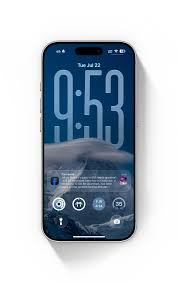
- When personalizing your lock screen with a photo you can customize it even more. swipe left on the lock screen while and edit mode for a variety of styles, including color filters and more
- See the password of the Wi-Fi network you’re currently using. in settings, tap Wi-Fi. Tap the I button for information, Tap password and use Face ID or touch ID to unlock and review it
- Find yourself typing out the same phrase a lot? Use a text replacement to get the message across faster. in settings tap general then tap keyboard and tap Text replacement tap the add button, which looks like a + sign in the top right corner of your screen and enter a phrase into the phrase, enter the text to replace. Now, anytime you type the shortcut to text, the replacement will fill-in.
- Quickly access low power mode right from control center in settings, tap control center, scroll down and tap the button next to low power mode to open control center on an iPhone with Face ID swipe down from the top right corner of the screen. For an iPhone with Touch ID swipe up from the bottom of the screen, then tap the low power mode button to turn it on.
- To take a picture while your iPhone is locked, swipe to the left from the edge of the lock screen to take you directly to the camera
- Translate the world around you using live text. using your iPhone camera find the text you want to translate and tap the text button in the bottom right corner of the viewfinder tap in the bottom left corner of the viewfinder and the text will automatically be translated to the language you have for for your iPhone
- in the photos app. If you’re looking for the first photo of an album you can quickly quickly jump to the beginning of the view by tapping the top edge of your iPhone screen, tap at the bottom of the screen to back to the most recent photo.
- 8.You can lift the subject of a photo away from the background so you can copy and share it. just touch subject, and lift You see the outline starts to appear around it tap copy to copy.